Make a sofa, table or cabinet longer without distorting its armrests, legs or handles. Round or bevel any straight or curved edge with a typed radius.
v1.2.2 · 180 KB · SketchUp 2022 and newer · English and Монгол · works offline, no licence key
Both work on the groups and components you already have. No licence key, no account.
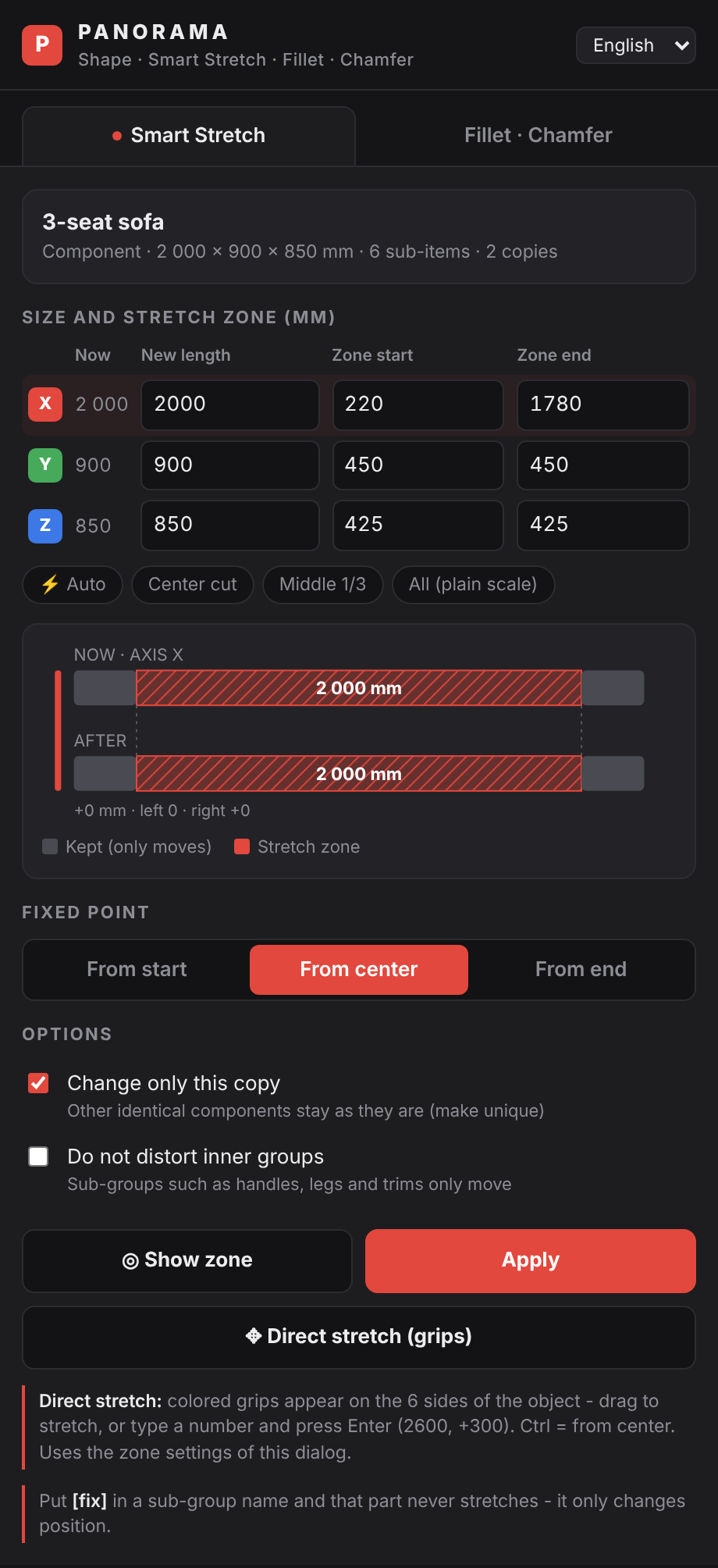
Pick a group or component, drag a grip or type the new length. Only the main body grows. Armrests, legs and handles keep their exact size and move to the new end.
Grips appear on all six sides. Drag to stretch, type 2600 or +300 and press Enter, hold Ctrl to grow from the center, press Esc to cancel.
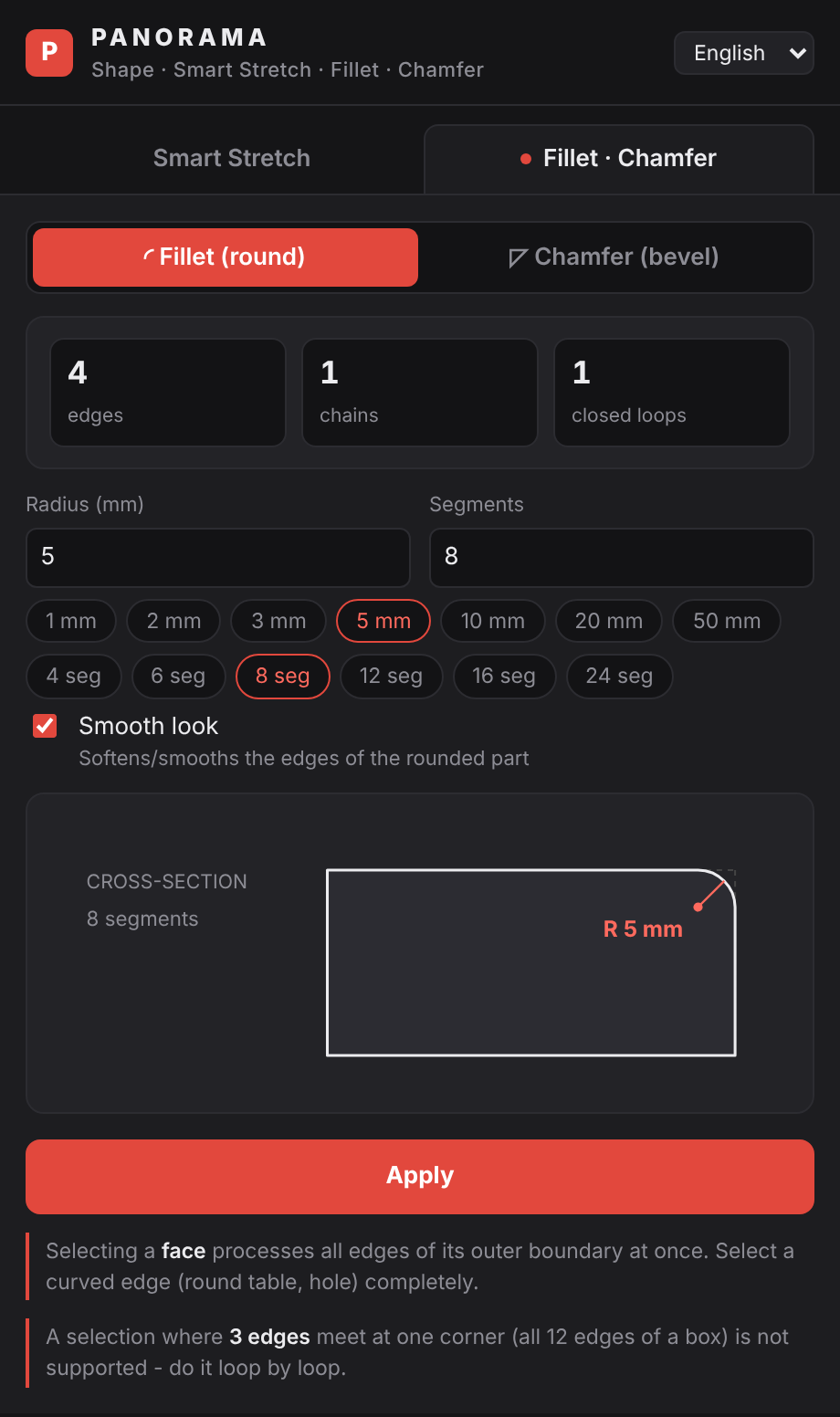
Type a radius or a distance. Works on straight edges, circles, arcs and holes. Select a face to process its whole outline at once.
The zone table shows where each axis stretches. Press Auto and the extension reads the sub-group positions. Name a part [fix] and it never stretches. By default only the selected copy of a component changes.


The preview shows the cross-section before you apply. Convex and concave corners, closed loops and open chains are handled, the rounded part gets smooth shading, and one Undo reverts it.
Get the .rbz file. Do not unzip it.
In SketchUp open Extensions, Extension Manager, Install Extension. Choose the .rbz file and accept.
Restart SketchUp. The PANORAMA Shape menu is under Extensions. For the toolbar, turn it on in View, Toolbars.
Yes. Download and use it for personal and commercial work. It is a separate extension from Panelwright and needs no licence key.
SketchUp 2022 and newer. It was tested on SketchUp 2026 for Windows.
No. By default only the selected copy changes. The other copies stay as they are.
Along the object own X, Y or Z axis. A rotated sofa stretches along its own length.
No. It has no account and makes no network requests.
Extensions, Extension Manager, then Uninstall next to PANORAMA Shape.
Write to us. Include your SketchUp version and, if you can, a screenshot or the model.
Developer: Panorama Studio, Ulaanbaatar